Data loss can happen for various reasons, and when it does, the situation can feel overwhelming. Whether due to accidental deletion, formatting the wrong drive, or a hard drive failure, data recovery is possible in many cases. While professional help is often necessary for severe issues, there are certain situations where you can attempt to recover your data on your own. This guide outlines how to handle data loss and recovery and the steps you can take to address it yourself.
Common Causes of Data Loss
1. Software-related Data Loss
This is one of the most common causes of data loss. You may accidentally delete an important folder or empty the recycle bin without realizing it. Sometimes, formatting the wrong drive can also result in data loss. When the cause is software-related, there’s a higher chance of successful recovery because the physical drive itself isn’t damaged.
2. Hard Drive Failure
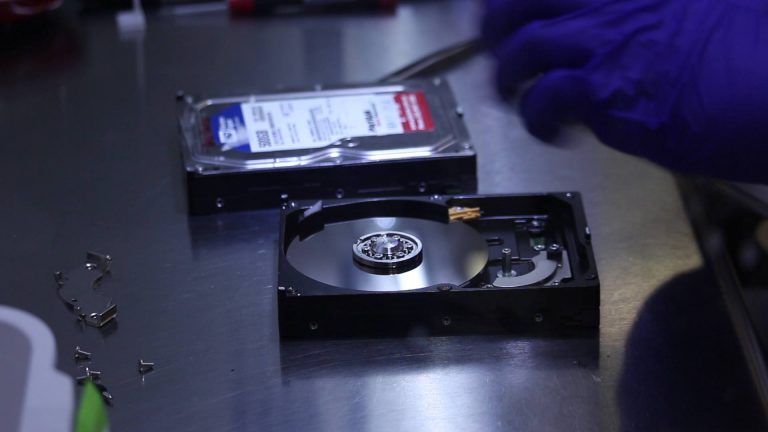
Hard drive failure is another common reason for data loss. Modern hard drives are complex and prone to failures over time. Mechanical issues, such as problems with the read/write heads, motor failure, or physical damage to the platters, can render your data inaccessible. These issues are more difficult to fix, and often, professional assistance is required.
Steps to Take When You Experience Data Loss
1. Do Not Use the Drive
If you’ve lost data due to accidental deletion or formatting, do not use the affected drive. Every second the drive is connected to a running system, the operating system is writing data to it, potentially overwriting the space that your lost files occupied. This can make data recovery much more difficult or impossible. It’s crucial to stop using the drive immediately.
2. Use Data Recovery Software
If your data loss is software-related (e.g., accidental deletion, formatting, or virus issues), you can use data recovery software to retrieve your files. There are numerous data recovery software tools available, some of the best being:
- Recuva: A popular and easy-to-use data recovery tool that helps recover files lost due to deletion, formatting, or corruption.
- EaseUS Data Recovery Wizard: Known for its simplicity and powerful features, EaseUS can recover files from deleted partitions, formatted drives, and more.
- Disk Drill: This tool offers both a free and paid version, and it’s capable of recovering lost data from many types of storage devices.
These tools typically allow you to scan the affected drive for lost files, preview them, and recover them to a safe location.
3. Physical Hard Drive Issues
If your hard drive has suffered a physical failure, such as being dropped, exposed to water, or showing signs of mechanical failure (e.g., clicking sounds), do not attempt to power it on again. Doing so could worsen the damage and decrease the chances of data recovery.
Signs of physical failure include:
- Clicking or abnormal sounds coming from the drive.
- A drive that does not spin up or a failure to recognize the drive by the system.
- The computer running extremely slowly with high hard drive activity.
If you notice any of these symptoms, it is advisable to seek professional help immediately to avoid causing further damage.
4. Technical Risks of DIY Recovery
In certain cases, such as with mechanical or electrical failures, attempting DIY recovery could make the situation worse. Powering on a failing drive or opening it yourself can lead to further damage and significantly lower the chances of successful recovery. If your hard drive exhibits any of the following symptoms, it’s best to not attempt DIY recovery:
- The drive starts making clicking sounds.
- The computer experiences the Blue Screen of Death (BSOD) or kernel panic on a Mac.
- The drive doesn’t appear to be spinning up, or you’ve encountered power issues like surges.
Conclusion
While data recovery is often possible, the method you choose depends on the type of failure you’re dealing with. If your drive failure is due to software issues like accidental deletion or formatting, you can attempt recovery using reliable data recovery software. However, if the issue is physical, such as a hard drive that is making strange noises or failing to power on, attempting to recover the data yourself could cause further damage. In these cases, it’s always better to seek professional help.
By taking the right steps and knowing when to call in a professional, you can maximize your chances of recovering lost data and minimize the risks involved.
About the Author