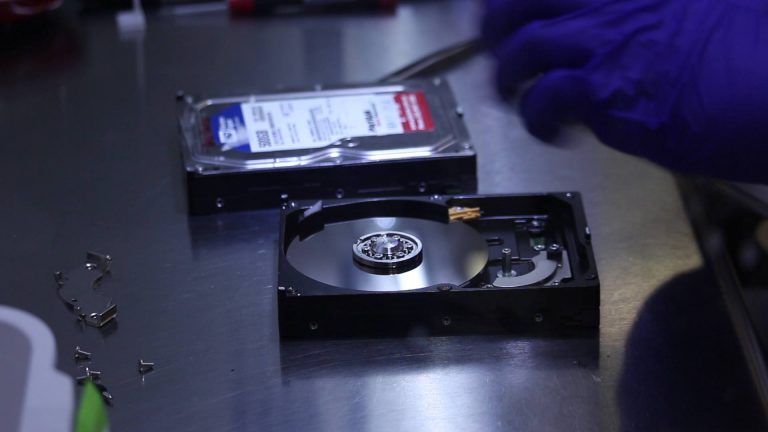
Losing data from your hard drive, whether due to a computer failure, security breach, or simple mistake, can be stressful. Fortunately, data recovery software offers a solution. This software is designed to recover lost or accidentally deleted files, and it’s often easy to use, requiring only a few clicks to restore important data.
Here’s a breakdown of how data recovery software works and how you can use it to retrieve your files.
How Does Data Recovery Software Work?
Data recovery software typically follows a three-step process to recover lost data:
- Fixing Errors in the Data Carrier: When data is lost, it may still be physically present on the storage device (e.g., hard drive, USB drive). However, the device may have errors preventing access to that data. The recovery software first repairs the errors, which can be either logical (related to file systems) or physical (damage to the storage medium). If the damage is severe, such as physical damage to the drive, professional help may be required.
- Copying the Content: Instead of directly working on the original storage device, data recovery software creates a copy of the content. This is done to prevent further damage to the original device, ensuring that the data can be safely worked on without risking permanent destruction.
- Recovering the Files: After making a copy, the software scans the data and retrieves lost files. These files are then restored to your computer. The process may take some time, depending on the size and complexity of the data recovery.
Choosing the Right Data Recovery Software
There are many free data recovery software options available, but not all of them are effective. When choosing software, it’s important to select one that is reliable and offers the features you need. Here are some factors to consider:
- Disk Drill: One of the most popular and effective free data recovery software tools is Disk Drill. Known for its practicality and performance, Disk Drill can recover lost files, images, documents, and more from your computer system. It also provides an easy-to-use interface and offers a preview of files before recovery.
- Effectiveness: While many free recovery tools are available, it’s essential to ensure the software you choose can handle the type of data loss you’re experiencing. Read reviews and look for tools that are known for high success rates in data recovery.
- Compatibility: Ensure the recovery software you choose is compatible with your operating system (e.g., Windows, macOS). Some tools are cross-platform, making them useful for a variety of devices.
Tips to Protect Against Data Loss
While data recovery software can help you recover lost files, the best approach is to prevent data loss in the first place. Here are a few tips to help safeguard your data:
- Backup Regularly: Make regular backups of your files, either manually or through automated cloud services. Store copies of important files on multiple devices, such as external hard drives or cloud storage, to ensure they’re safe in case something happens to your primary computer.
- Use Antivirus Software: A strong antivirus program can protect your data from malware, ransomware, and other harmful software that could cause data loss. Keep your antivirus updated to defend against the latest threats.
- Avoid Storing All Data on One Device: Don’t rely solely on your computer’s hard drive for storage. Instead, spread your data across multiple media to reduce the risk of losing everything if one device fails.
Conclusion
Data recovery software provides a powerful tool for restoring lost or deleted files. By following the steps outlined above, you can retrieve your data in most cases. However, the best defense against data loss is to maintain regular backups and use protection against malware. Choose reliable recovery software like Disk Drill and take proactive steps to protect your data to avoid the stress of losing important files.
About the Author